
Competition management
Emailing your athletes
Send announcements from the dashboard's Communication section (to everyone, to specific divisions or teams, to captains only) and watch delivery confirm itself recipient by recipient.
Campaigns vs. automatic emails
The platform already emails athletes on its own at the moments that matter: registration and payment confirmations, invitations, and so on. The Communication section is for everything else. Schedule announcements, rule clarifications, parking instructions, last-minute changes. You write it, you pick who gets it.
Compose
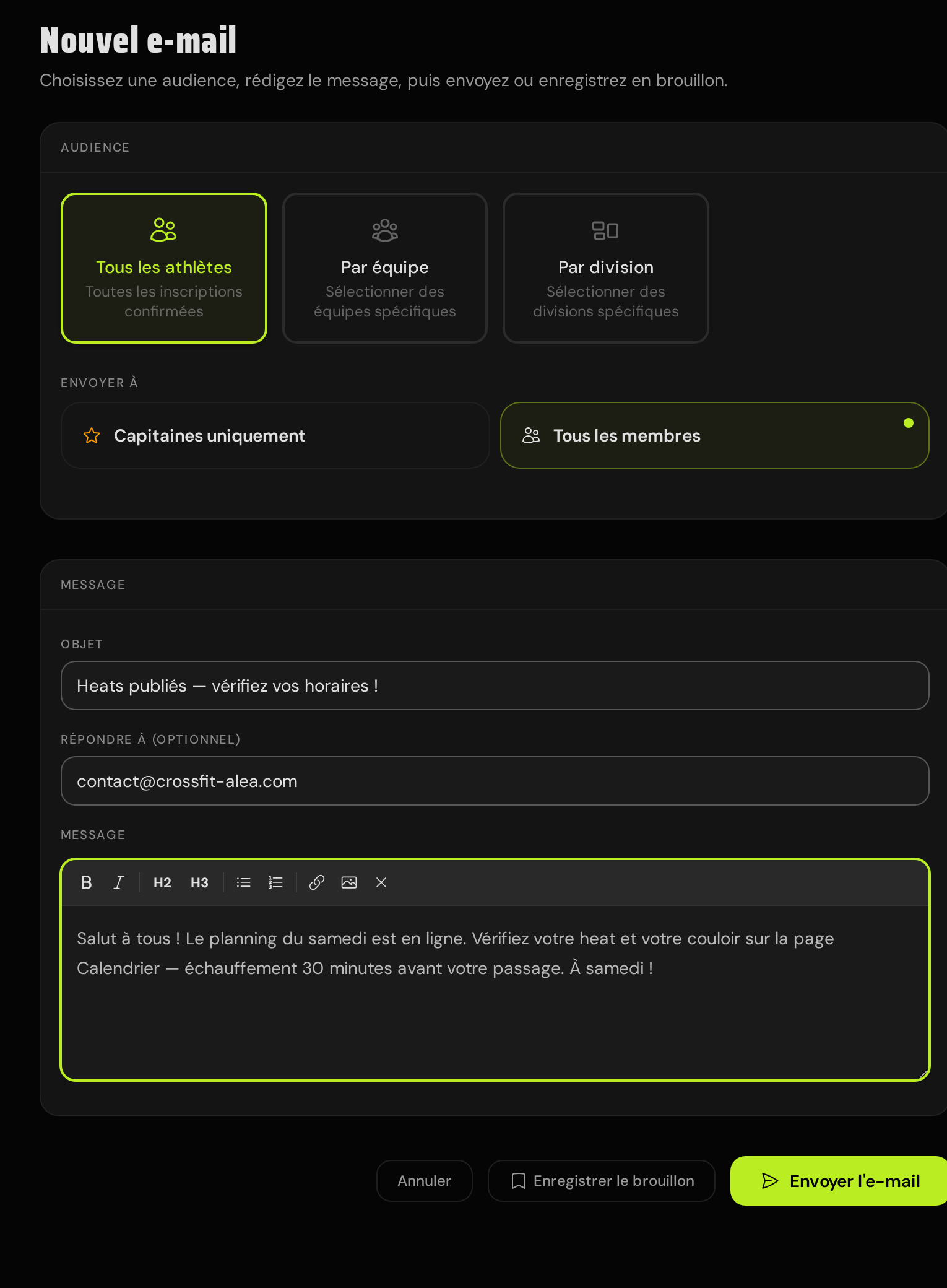
A campaign has three parts: the audience, the message, and an optional reply-to.
- Audience: all confirmed athletes, specific teams, or specific divisions: across every stage of the event. On top of that, choose whether the email goes to every team member or to team captains only.
- Message: subject plus a rich-text body: bold, headings, lists, links, images. Formatting is limited to safe tags. Anything else pasted in is stripped on save.
- Reply-to: set it to your own inbox so athletes who hit Reply actually reach you instead of a no-reply address.
Sending and delivery tracking
On send, the audience is resolved into an individual email per athlete (no giant BCC, nobody sees anyone else's address. Each recipient is then tracked on their own: sent, then delivered once the mail provider confirms it, or bounced if the mailbox rejected it. The campaign list rolls this up into a status per email) sending, sent, or failed, and updates in real time as confirmations come in.
Delivery confirmations trail the send: the platform checks with the provider on a widening schedule for up to a day. A campaign showing "sent" with delivery counts still filling in is normal, not stuck.
When something fails
Individual failures don't sink the campaign: everyone else still gets their copy. A campaign marked failed means at least one recipient couldn't be handed to the mail provider; the Retry button re-sends to exactly those recipients. Athletes who already received the email are never re-emailed, and clicking retry on a healthy campaign does nothing.